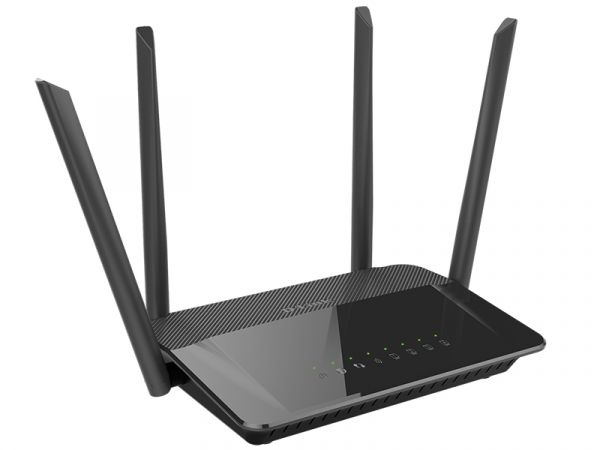
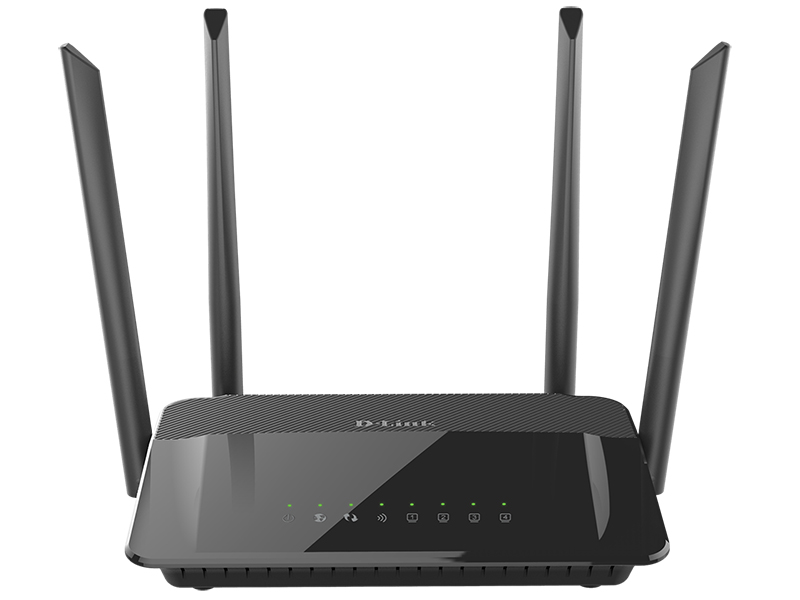
Hardware Interfaces
• 10/100BASE-TX WAN port
• 4 10/100BASE-TX LAN ports
LEDs
• POWER
• INTERNET
• WPS
• WLAN
• 4 LAN LEDs
Buttons
• POWER button to power on/power off
• RESET button to restore factory default settings
• WPS button to set up secure wireless connection and enable/disable wireless network
Antenna
• Four external non-detachable antennas (5dBi gain)
MIMO
• 2 x 2
Power connector
• Power input connector (DC)
Software
WAN connection types
• PPPoE
• IPv6 PPPoE
• PPPoE Dual Stack
• Static IP / Dynamic IP
• Static IPv6 / Dynamic IPv6
• PPPoE + Static IP / Dynamic IP
• PPTP/L2TP + Static IP
• PPTP/L2TP + Dynamic IP
Network functions
• Support of IEEE 802.1X for Internet connection
• DHCP server/relay
• DHCPv6 server (Stateful/Stateless), IPv6 prefix delegation
• DNS relay
• Support of DNSv6 AAAA records
• Dynamic DNS
• Static IP routing
• Static IPv6 routing
• IGMP Proxy
• RIP
• Support of UPnP IGD
• Support of VLAN
• WAN ping respond
• Support of SIP ALG
• Support of RTSP
• Autonegotiation of speed, duplex mode, and flow control/Manual speed and duplex mode setup for each Ethernet port
Firewall functions
• Network Address Translation (NAT)
• Stateful Packet Inspection (SPI)
• IP filter
• IPv6 filter
• MAC filter
• URL filter
• DMZ
• Prevention of ARP and DDoS attacks
• Virtual servers
• Built-in Yandex.DNS web content filtering service
VPN
• IPSec/PPTP/L2TP/PPPoE pass-through
• IPSec tunnels
Management
• Local and remote access to settings through TELNET/WEB (HTTP/HTTPS)
• Multilingual web-based interface for configuration and management
• Notification on connection problems and auto redirect to settings
• Firmware update via web-based interface
• Automatic notification on new firmware version
• Saving/restoring configuration to/from file
• Support of remote logging
• Automatic synchronization of system time with NTP server and manual time/date setup
• Ping utility
• Traceroute utility
• TR-069 client
Wireless Module Parameters
Standards
• IEEE 802.11a/n/ac
• IEEE 802.11b/g/n
Frequency range
• 2400 ~ 2483.5MHz
• 5150 ~ 5350MHz
• 5650 ~ 5725MHz
Wireless connection security
• WEP
• WPA/WPA2 (Personal/Enterprise)
• МАС filter
• WPS (PBC/PIN)
Advanced functions
• Support of client mode
• WMM (Wi-Fi QoS)
• Information on connected Wi-Fi clients
• Advanced settings
• Guest Wi-Fi / support of MBSSID
• Guest Wi-Fi for each band
• Limitation of wireless network rate
Wireless connection rate
• IEEE 802.11a: 6, 9, 12, 18, 24, 36, 48, and 54Mbps
• IEEE 802.11b: 1, 2, 5.5, and 11Mbps
• IEEE 802.11g: 6, 9, 12, 18, 24, 36, 48, and 54Mbps
• IEEE 802.11n (2.4GHz/5GHz): from 6.5 to 300Mbps (from MCS0 to MCS15)
• IEEE 802.11ac (5GHz): from 6.5 to 867Mbps (from MCS0 to MSC9)
Transmitter output power
The maximum value of the transmitter output power depends upon the radio frequency regulations applied in your country • • 802.11a (typical at room temperature 25 °C)
17dBm (+/-2dB) at 6, 9, 12, 18Mbps
16dBm (+/-2dB) at 24Mbps
15dBm (+/-2dB) at 36Mbps
14dBm (+/-2dB) at 48Mbps
13dBm (+/-2dB) at 54Mbps
• 802.11b (typical at room temperature 25 °C)
15dBm (+/-2dB) at 1, 2, 5.5, 11Mbps
• 802.11g (typical at room temperature 25 °C)
15dBm (+/-2dB) at 6, 9, 12, 18, 24, 36, 48, 56Mbps
• 802.11n (typical at room temperature 25 °C)
2GHz, HT20
15dBm (+/-2dB) at MCS0~5
14dBm (+/-2dB) at MCS6~7
2GHz, HT40
15dBm (+/-2dB) at MCS0~5
14dBm (+/-2dB) at MCS6~7
5GHz, HT20/HT40
17dBm at MCS0~3
16dBm at MCS4
15dBm at MCS5
14dBm at MCS6
13dBm at MCS7
• 802.11ac (typical at room temperature 25 °C)
VHT20
17dBm at MCS0~3
16dBm at MCS4
15dBm at MCS5
14dBm at MCS6
13dBm at MCS7
12dBm at MCS8
VHT40
17dBm at MCS0~3
16dBm at MCS4
15dBm at MCS5
14dBm at MCS6
13dBm at MCS7
12dBm at MCS8
11dBm at MCS9
VHT80
13dBm at MCS0~7
12dBm at MCS8
11dBm at MCS9
Receiver sensitivity
• 802.11a (typical at PER < 10% (1000-byte PDUs) at room temperature 25 °C)
-82dBm at 6Mbps
-81dBm at 9Mbps
-79dBm at 12Mbps
-77dBm at 18Mbps
-74dBm at 24Mbps
-70dBm at 36Mbps
-66dBm at 48Mbps
-65dBm at 54Mbps
• 802.11b (typical at PER = 8% (1000-byte PDUs) at room temperature 25 °C)
-84dBm at 1, 2Mbps
-82dBm at 5.5Mbps
-79dBm at 11Mbps
• 802.11g (typical at PER = 10% (1000-byte PDUs) at room temperature 25 °C)
-82dBm at 6Mbps
-81dBm at 9Mbps
-79dBm at 12Mbps
-77dBm at 18Mbps
-74dBm at 24Mbps
-70dBm at 36Mbps
-66dBm at 48Mbps
-65dBm at 54Mbps
• 802.11n (typical at PER = 10% (1000-byte PDUs) at room temperature 25 °C)
HT20
-82dBm at MCS0
-79dBm at MCS1
-77dBm at MCS2
-74dBm at MCS3
-70dBm at MCS4
-66dBm at MCS5
-65dBm at MCS6
-64dBm at MCS7
HT40
-79dBm at MCS0
-76dBm at MCS1
-74dBm at MCS2
-71dBm at MCS3
-67dBm at MCS4
-63dBm at MCS5
-62dBm at MCS6
-61dBm at MCS7
• 802.11ac (typical at PER = 10% (1000-byte PDUs) at room temperature 25 °C)
HT20
-82dBm at MCS0
-79dBm at MCS1
-77dBm at MCS2
-74dBm at MCS3
-70dBm at MCS4
-66dBm at MCS5
-65dBm at MCS6
-64dBm at MCS7
-59dBm at MCS8
-57dBm at MCS9
HT40
-79dBm at MCS0
-76dBm at MCS1
-74dBm at MCS2
-71dBm at MCS3
-67dBm at MCS4
-63dBm at MCS5
-62dBm at MCS6
-61dBm at MCS7
-56dBm at MCS8
-54dBm at MCS9
HT80
-76dBm at MCS0
-73dBm at MCS1
-71dBm at MCS2
-68dBm at MCS3
-64dBm at MCS4
-60dBm at MCS5
-59dBm at MCS6
-58dBm at MCS7
-53dBm at MCS8
-51dBm at MCS9
Modulation schemes
• 802.11a: BPSK, QPSK, 16QAM, 64QAM с OFDM
• 802.11b: DQPSK, DBPSK, DSSS, CCK
• 802.11g: BPSK, QPSK, 16QAM, 64QAM с OFDM
• 802.11n: BPSK, QPSK, 16QAM, 64QAM с OFDM
• 802.11ac: BPSK, QPSK, 16QAM, 64QAM, 256QAM с OFDM
Physical Parameters
Dimensions (L x W x H)
• 190 x 133 x 38 mm (7.5 x 5.2 x 1.5 in)
Weight
• 263 g (0.58 lb)
Operating Environment
Power
• Output: 12V DC, 0.5A
Temperature
• Operating: from 0 to 40 °C
• Storage: from -20 to 65 °C
Humidity
• Operating: from 10% to 90% (non-condensing)
• Storage: from 5% to 95% (non-condensing)
Delivery Package
• Router DIR-822
• Power adapter DC 12V/0.5A
• Ethernet cable
• “Quick Installation Guide” (brochure)